

MacBook Technical Service
At Computer Chamberí we have been repairing any laptop model of any brand for years, and we also have experience with MacBook Pro and MacBook Air repair
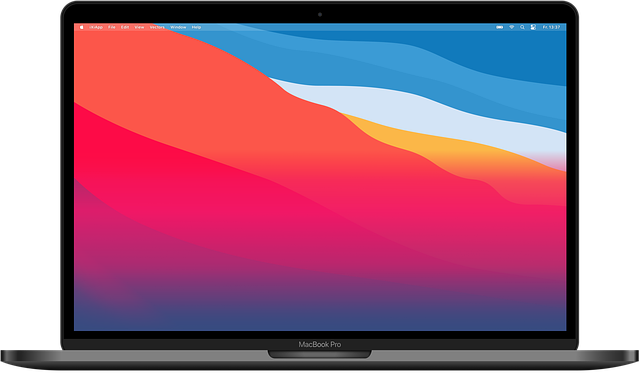
We all know it, Apple laptops are almost perfect machines, which rarely give any problems, with resistant chassis and a super stable operating system. But that doesn’t mean your MacBook will never need to go to the doctor.
OSX Installation

Despite being a very stable operating system, it may be necessary to reinstall a copy of the Mac operating system on your MacBook, or simply your system is outdated and you want to update it.
It may happen that your MacBook takes a long time to start or you see the typical folder icon that prevents you from starting the system. Other things we have seen that usually happen is forgetting the startup password and in this case it will be necessary to reformat the disk and install a new copy of OSX.
We can install on your MacBook the latest version of OSX available for each device, updated to the latest. We also install all the programs you need. (no programs that require licenses).
We can always make a backup of your data so that nothing is lost during the system installation.
Bootcamp Installation
Do you miss Windows? If you need to have a copy of Windows alongside your OSX, we can install Microsoft’s operating system without touching your MacBook data. We install an operating system on a separate partition, or if you prefer we can create a virtual system to have both systems on a single MacBook.
Hard Drive Replacement
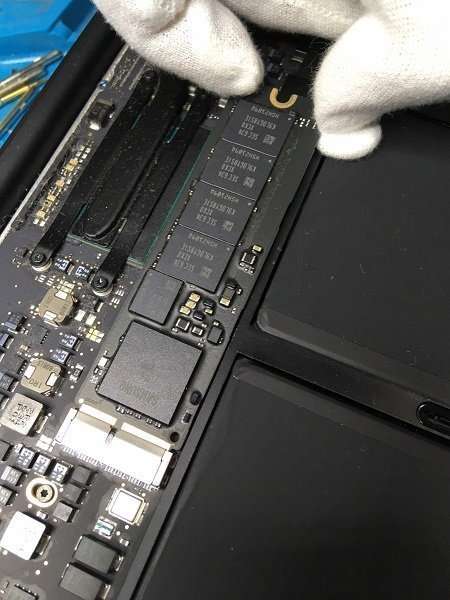
SSD MacBook Pro up to 2012
Up to the 2012 MacBook Pro version, hard drive replacement could be done using a normal sata 2 drive in 2.5″ format. The best option for MacBooks up to 2012 will be to replace the mechanical drive with another solid-state SSD to gain more speed and extend the laptop’s useful life.
All subsequent versions have started using a different format for each model. The MacBook Air and Pro drive replacement is done by replacing the memory with another of the same format and possibly with more capacity than the original.
To change the drive in your MacBook we only use SSDs from OCZ or Transcend brands, which are the only ones certified by Apple.
If possible, we can use an adapter to be able to use a PC-type NVMe PCI Express drive and lower the repair price.
Damaged Hard Drive
If the drive is damaged for newer models it will be very difficult to recover the data.
Increase Storage Capacity
If what you need is just to increase your storage capacity we can clone your drive directly to the new drive without losing data or programs.
Storage Expansion Rates for MacBook Air / Pro 2011-2015
250 GB SSD
Apple certified
€ 179
- Apple certified SSD without adapter
- Updated OSX system installation
- Possible data and system cloning
- OWC Aura or Transcend Jetdrive drive
480 GB SSD
Apple certified
€ 219
- Apple certified SSD without adapter
- Updated OSX system installation
- Possible data and system cloning
- OWC Aura or Transcend Jetdrive drive
500GB NVME
Generic 500GB NVMe type SSD with adapter
€ 129
- NVME SSD with adapter
- Updated OSX system installation
- Possible data and system cloning
- Samsung-Intel-Crucial-Western Digital brand drive
1TB NVME
Generic 500GB NVMe type SSD with adapter
€ 179
- NVME SSD with adapter
- Updated OSX system installation
- Possible data and system cloning
- Samsung-Intel-Crucial-Western Digital brand drive
Replace Broken MacBook Screen

This is the most common failure in our technical service, and unfortunately it’s not the one with the cheapest solution.
For any MacBook Pro and MacBook Air model, LCD screen breakage is solved only by changing the entire panel. This means that it will also be necessary to replace the entire aluminum casing that covers the screen. There are several tutorials that explain how to change only the LCD display, but in our technical service we don’t usually perform this type of repair.
The cost of the repair can vary based on the model and year of manufacture so we’re going to give you some prices to change the screen for the most popular MacBook models
MacBook Pro Complete Screen Replacement Prices
Screen replacement MacBook Pro 13 Mid 2016/17
A1706/A1707
€ 319
Complete panel replacement with new original quality one
- High quality spare part
- 6 month warranty
- Without losing data
Screen replacement MacBook Pro 13 Mid 2018
A1989
€ 349
Complete panel replacement with new original quality one
- High quality spare part
- 6 month warranty
- Without losing data
Screen replacement MacBook Pro 13 Mid 2019
A2159
€ 329
Complete panel replacement with new original quality one
- High quality spare part
- 6 month warranty
- Without losing data
Screen replacement MacBook Pro 13” 2020
A2338
€ 329
Complete panel replacement with new original quality one
- High quality spare part
- 6 month warranty
- Without losing data
MacBook Air 13″ Complete Screen Replacement Prices
Screen replacement MacBook Air 13 2017
A1466
€ 319
Complete panel replacement with new original quality one
- High quality spare part
- 6 month warranty
- Without losing data
Screen replacement MacBook Air 13 2018
A1932
€ 319
Complete panel replacement with new original quality one
- High quality spare part
- 6 month warranty
- Without losing data
Screen replacement MacBook Air 13 2020
A2179/A2337
€ 329
Complete panel replacement with new original quality one
- High quality spare part
- 6 month warranty
- Without losing data
If you don’t find the MacBook model you’re interested in or want to know the price for replacement with a cheaper compatible screen, don’t hesitate to contact us.
Battery Replacement Service for your MacBook
If you’re experiencing problems with your MacBook battery, you may need to replace it. A MacBook battery has a limited lifespan and over time can lose charging capacity. If you notice that battery life has decreased considerably or that your MacBook shuts down suddenly even when the battery shows a high charge percentage, you probably need to change the battery.
How to know if you need to change your Mac battery?
There are several signs that indicate it’s time to replace your Mac battery. One of the easiest ways to check is by clicking on the battery icon in the menu bar and selecting “Battery Information”. Here you can see the battery status and the number of completed charge cycles. If the status indicates “Replace Soon” or if the number of cycles is high, you probably need to change the battery.
Our technicians can change the battery for any MacBook model without losing your data. The batteries we use will have a one-year warranty and will be of high quality.
How much does it cost to change a MacBook battery?
| MacBook Model | Compatible Battery | Original Battery |
|---|---|---|
| MacBook Air 2012-2017 (A1466) | € 89 VAT inc. | € 139 VAT inc. |
| MacBook 2015-2016 (A1534) | € 119 VAT inc. | € 179 VAT inc. |
| MacBook Pro 2015 (A1502) | € 109 VAT inc. | € 169 VAT inc. |
| MacBook Pro 2017 (A1708) | €119 VAT inc. | € 179 VAT inc. |
| MacBook Pro 16 2019 (A2141) | € 179 VAT inc. | € 249 VAT inc. |
| MacBook Air 2018/2019 (A2179) | € 119 VAT inc. | € 199 VAT inc. |
| MacBook Air 2020 (A2337) | € 119 VAT inc. | € 199 VAT inc. |
| MacBook Pro 2019 (A1990) | € 139 VAT inc. | € 199 VAT inc. |
| MacBook Pro 2020 (A2338) | € 119 VAT inc. | € 189 VAT inc. |
| MacBook Pro 2020 (A2289) | € 119 VAT inc. | € 119 VAT inc. |
Keyboard Replacement

In most cases, the most common cause affecting the proper functioning of a keyboard is a liquid spill. If your MacBook Air or MacBook Pro keyboard has stopped working, if some keys don’t respond, the only solution will be to replace the complete keyboard
For MacBook Air models up to 2017 keyboard replacement can be done by changing only the keyboard without replacing the entire top case.
While for the MacBook Pro from 2016 onwards things get more complicated and keyboard repair requires complete replacement of the top case for the job to be done properly.
If your MacBook Pro or MacBook Air won’t turn on, the screen is broken or appears black, if your Mac laptop battery won’t charge, makes strange noises, or you want to expand, update, or improve the performance of your equipment.
Computer Chamberí’s mission is to make things simpler and more agile for you. So all you have to do is contact us, and we’ll give you a quote at no cost.
Our Apple Computer Technical Service includes:
- Mac OSX system installation and update
- We expand RAM memory and hard drive at the best market price.
- SSD hard drive installation and cloning of previous data.
- Data recovery.
- Complete screen replacement for any MacBook model
- Windows partition installation with Bootcamp, Windows on Mac.
- We configure networks and perform their maintenance.
- We improve your equipment’s performance.
- Software installation you need.

Quick Quote
Need to know how much it could cost to repair your MacBook?
Request your quote right now, a technician will reply to you shortly.

Contact Us
If you need any information we have a WhatsApp chat available, one of our technicians will be available to clarify any questions about prices, repair timeframe, parts availability and much more.