
Operating system installation
If your laptop doesn’t boot, if Windows is giving you problems, if you bought a new PC without an operating system, we have a quick and cheap solution for you.
What does an operating system installation consist of
Every laptop, computer, mobile phone, or any electronic device, nowadays needs an operating system to function properly and above all so that anyone, even without computer knowledge, can interact with any device intuitively.
That’s why now all the systems present in the consumer market are quite simple and very attractive at the graphic environment level. Today’s machines can support graphic effects and heavier operations without lowering their own performance.
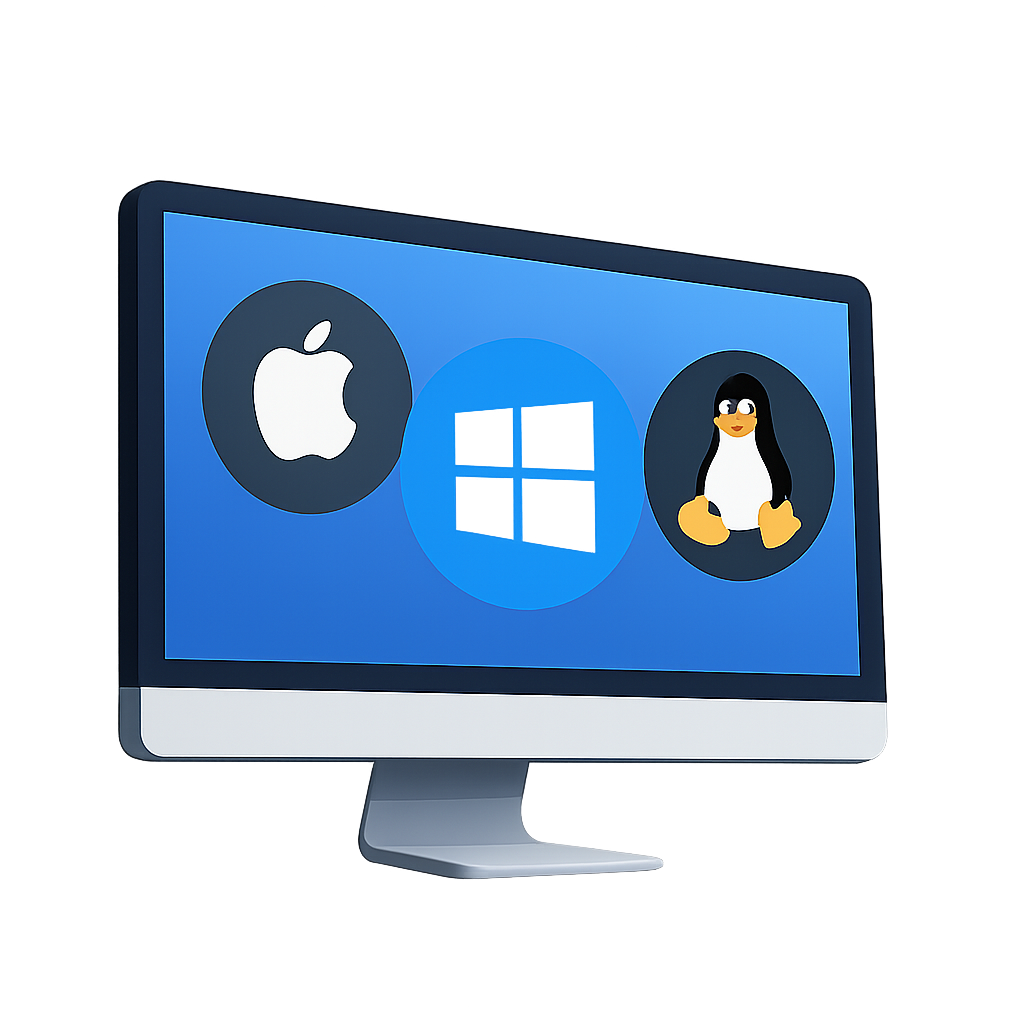
In today’s consumer market there are several operating platforms, but the best-known operating systems are mainly 4.
- Windows
- Macintosh
- GNU/Linux
- Android (Chrome Os)
At Computer Chamberí, we have knowledge of these four operating systems to install them on any laptop and computer.
Operating systems are software programs that allow a computer to function and communicate with users and other programs. They act as intermediaries between computer hardware and the applications running on it. Operating systems control the basic operation of the computer, managing resources such as memory, processor, and input and output devices.
There are different types of operating systems, each designed to meet different needs and requirements. The most common operating systems are Windows, macOS and Linux. Each has its needs and preferences. Below, we’ll look at some of the key features of each of these operating systems.
Plan 1
SISTEMA OPERATIVO
€ 39 IVA inc.
- Formateo de disco duro
- Instalación de sistema operativo
- Instalación de actualizaciones
- Instalación de antivirus gratuito
- Instalación programas gratuitos
- Posibilidad de comprar la licencia de Windows
Plan 2
SISTEMA OP. Y BACKUP DE DATOS
€ 59 IVA inc.
- Escaneo de virus
- Backup datos en suporte externo
- Instalación de sistema operativo
- Instalación de actualizaciones
- Instalación programas
- Volcado de datos
Plan 3
VIRUS, MALWARES Y PROGRAMAS
€ 35 IVA inc.
- Escaneo de virus a nivel profesional
- Ejecución de virus y troyanos
- Limpieza del sistema en general
- Desinstalación de programas basura
- Optimización del sistema
- Comprobación errores disco duro
Install Windows 11
Windows is the most used operating system on personal computers. It’s known for its user-friendly interface and wide compatibility with a variety of applications and games. Windows offers a wide range of programs and is ideal for users who want a familiar user experience and a wide range of options.
Additionally, installing your own operating system gives you greater control over your computer’s configuration and security. You can establish your own security policies, control updates, and choose what permissions and accesses users have.
Another advantage is that installing your own operating system allows you to make the most of your hardware’s performance. By choosing an operating system optimized for your hardware specifications, you can get better performance and greater efficiency in resource use.
As of October 5, 2021, it’s already possible to download the latest version of Microsoft Windows 11 operating system. For the system to be installed on PC, an active Microsoft account is required as an essential requirement. As with the latest Mac OSX systems, Microsoft’s will also not be compatible with 32-bit processors.
The hardware requirements go up a bit compared to its previous version. Now we have a more attractive system with many changes at the visual level, something similar to Apple’s new BigSur. These new features require more powerful graphics hardware compared to its previous version.
What will certainly create more problems will be the need to have TPM 2 active, that is, the trusted platform module so that Windows 11 can execute its cryptography without security problems. If you have a laptop manufactured from 2016 onwards, it’s very likely that this module is present. In any case, in each case we can find a way to install the new system on older equipment that has the system requirements.
Update from Windows 10
If you already have a PC with a Windows 10 license, it won’t be necessary to buy another license, we can simply use the previous license.
At Computer Chamberí, we can update your operating system directly from Windows 10 without losing your files. We take care of making a previous backup of your files and update your system. In many cases all the programs present on your system will continue to work on your new Windows 11
New Windows 11 installation
If your laptop comes without an operating system or the one it has is running poorly we can install Windows 11 directly from USB by formatting and cleaning your hard drive and performing a clean installation.
To create a Windows 11 installable USB we use an official Microsoft tool and the operating system will be official.
We also have the possibility to copy your files to transfer them right away once the installation is finished.
[Continuación de la traducción…]Data is not lost
If the customer doesn’t want to lose their data, it won’t be a problem. We can install the new operating system, keeping their photos, documents and videos. What cannot be saved are the program installations from the previous version of Windows.
The original license is not lost
Since the introduction of Windows 8, almost all laptops sold come with a digital license, integrated into the bios, so when reinstalling a new Microsoft system the license is not lost.
Official licenses at good prices
If you have a device that comes without a license, we can offer the possibility to purchase official and totally legal licenses at competitive prices.
How we perform the installation
Hard drive formatting, operating system installation on the computer. Driver installation, service packs, free antivirus, office suite and essential and necessary programs so you can work optimally with your computer and with all the applications you currently use. The device is delivered updated to the latest version of the operating system.
After installing the operating system, it’s important to also install essential software and drivers to ensure your computer works properly. Below are some essentials that will be installed after the operating system installation:
- Hardware drivers: we will install the latest drivers for your hardware, such as graphics cards, sound cards, printers and other devices connected to your computer.
- Security software: We install reliable antivirus software to protect your computer against viruses and malware. There are many options available, such as Avast, AVG and Norton or Windows’ integrated antivirus itself.
- Web browser: we install a web browser of your choice, such as Google Chrome, Mozilla Firefox or Microsoft Edge. A web browser will allow you to access the Internet and browse websites.
- Productivity suite: If you plan to perform productivity tasks, such as word processing or spreadsheet editing, we install a productivity suite, such as Microsoft Office (paid program) or LibreOffice. These suites include programs like Word, Excel and PowerPoint.
Remember that these are just some examples of essential software and drivers. The choice of what to install will depend on your individual needs and preferences.
How long does it take
The installation of an operating system, in most cases, is done fairly quickly. Then there are cases that can delay the delivery of the computer, such as making a backup of the customer’s data, laptop speed, data transfer.
Installation is usually done on the same day.
Mac OS Installation
Apple’s operating system can only be installed on products from the same company such as Macbook Air, Macbook Pro, iMac and Mac mini.
Then, there are other cases, of versions of the Cupertino system installed on Windows machines called Hackintosh, but in our technical service we don’t perform these types of installations due to their high instability.
We already know that an OSX system is usually very stable, and almost never requires a new installation for these devices. The use of a different file system and other factors, ensure that the system doesn’t slow down over time.
Despite that, there are cases where you need to install a clean system to have a laptop like new, to free up some space on the hard drive or simply because we prefer to start with a clean installation.
What version of OSX do we install
We always try to install the latest version available for each Mac model. We also take into account that from Catalina onwards, some older software versions may have problems when reinstalling.
Mac OS Catalina was released in September 2019 and for the first time Apple in its system does not offer support for 32-bit programs. Depending on the device and its year of manufacture we will check the compatibility of the operating system.
When Apple releases a new system, it updates the list of devices compatible with its latest operating system. Clearly it won’t be possible to install MacOs Sonoma on a 2009 Macbook Pro. That’s why we’re here, to advise you and choose the best system for your Macbook.
In fact, in most cases installing the latest version won’t have any problems in daily use.
Latest Mac Os Systems and compatibility with Apple computers:
- MacOS Sequoia 15
- MacOS Sonoma 14
- MacOS Ventura 13
- MacOs Monterey 12
- MacOS BigSur 11
Below, we detail the versions of macOS after Big Sur, with their release date and a general idea of compatible models:
1. macOS 12 Monterey
- Release date: October 25, 2021.
- Compatible models: Macs released from 2015 onwards, including MacBook Pro (2015 and later), MacBook Air (2015 and later), iMac (2015 and later), Mac Pro (2013 and later) and Mac mini (2014 and later)
2. macOS 13 Ventura
- Release date: October 24, 2022.
- Compatible models: Macs from 2017 onwards, such as MacBook Pro, MacBook Air, iMac and Mac Studio. Some previous models were excluded in this version
3. macOS 14 Sonoma
- Release date: September 26, 2023.
- Compatible models: Macs released from 2018 onwards, with greater emphasis on devices with Apple Silicon processors (M1 and M2), although it remains compatible with certain recent Intel models
4. macOS 15 Sequoia
- Release date: September 18, 2024.
- Compatible models: Primarily Macs with Apple Silicon processors, although some Intel released in 2019 and 2020 are still compatible
To confirm if a specific Mac model is compatible with a version of macOS, it’s important to check Apple’s official support page or the notes for each version. Additionally, Apple generally provides security updates for the last three major versions of the operating system.
How we perform the installation
If the customer needs a backup of the data, we can make a Time Machine copy previously. Once the backup is made, we will perform the operating system installation through a USB drive, format the hard drive and then perform the clean installation.
Once the OSX copy is installed we transfer the old data.
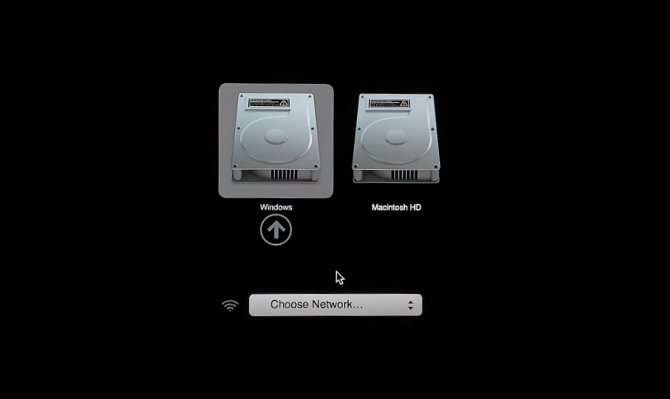
If the customer needs to install a copy of Windows on their Mac, we can perform a Bootcamp installation, to have both systems on the same machine. You can also choose to install Windows through a Virtual Machine.
Install a Linux distribution
Talking about Linux as an operating system is a very common mistake. Indeed the name Linux is used erroneously to identify an operating system, while its name refers to the system kernel.
What version of Linux do we install
There are several distributions (Unix Based) that use the Linux Kernel and differ from each other by their graphical environment, package manager and other things.
The best-known distributions we install in our technical service are:
- Ubuntu
- Debian
- Mint
- Fedora
- Open Suse
In any case, every month there’s a new distro that catches attention for a different peculiarity. On the distrowatch website you can see the infinite amount of distributions that can be installed.
How we install Linux
In most cases our customers want to install a Linux system to give new life to a slightly slower laptop. We already know that a custom Unix system usually revives an obsolete laptop.
We advise each customer to choose the best graphical environment for their needs, and the best distro that fits their laptop.
We can install a Linux system alongside your Windows, or we can use a virtual machine. We can use the entire disk or create a dual boot to choose the system every time the computer starts up.
When we install a Linux distribution it won’t be necessary to install paid programs and neither an antivirus, almost all installable versions already include an office suite, an email management program, a browser, a program to watch movies.
In practice, when Linux is installed the system is usually complete from the first moment.
Price to install Linux: € 35 inc VAT*
*This price only refers to a clean installation
Frequently Asked Questions
I just bought a laptop and it comes without Windows
In recent years it’s quite common to buy a laptop without an operating system, due to the possibility for the customer to install the system they want. This means significant savings when making a purchase, because the cost of the pre-installed system means an additional expense for the manufacturer.
If you need to install Windows on your new PC, come to our store and we’ll perform the installation on the same day with the possibility of buying an original Windows license at the best price.
I’m trying to install the system on my new laptop but it doesn’t recognize the hard drive
It’s a fairly common problem when performing a new installation on a latest generation laptop. The Windows installation doesn’t bring by default all the drivers of the most recent chipsets and that’s why it will be necessary to load an additional driver to continue the installation. Don’t hesitate to contact us to install the operating system quickly.
Does the Office package also get installed with the Windows installation?
No, the Office package is a paid package provided by Microsoft. The operating system comes with a 30-day trial version of the package. If you need to install Microsoft Office, we have several offers with original licenses at very competitive prices.
Is it necessary to install an antivirus on the new system?
In principle we can say that Windows Defender is a protection system that works very well and is perfectly integrated with the operating system. If, however, you need protection beyond what the system offers, we can install any type of paid antivirus with annual licenses.