

Laptop hard drive replacement
SSD drive installation in any laptop model, damaged drive replacement for any laptop and computer model, system cloning.
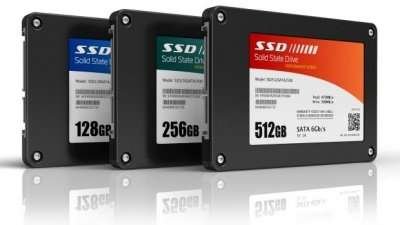
- Change computer hard disk
- How much does it cost to install a solid state drive?
- Operating system and programs installation
- What type of hard drive can I install on my laptop?
- 2.5″ mechanical Hard Disk 5400rpm
- 2.5″ SSD Hard Disk solid state
- M.2 type SSD – NVME
- How long does it take to change a hard drive?
- What warranty does the new drive have?
- Can I recover my data if I change the hard drive?
- Is the system license lost if the hard drive is changed?
- Can the previous drive be cloned?
Change computer hard disk
A bump, a fall, an unexpected power failure, can cause the hard drive of any laptop and brand to break.
At Computer Chamberí we replace your laptop’s hard drive as quickly as possible.
In case the hard drive is damaged and your laptop doesn’t boot, we can replace your laptop’s hard drive with another of equal or greater capacity.
We can replace your computer’s hard disk on the same day. We install the operating system and all necessary programs so your computer is like the first day.
If you need to change your laptop’s hard drive, don’t hesitate to contact our laptop repair technical service in Madrid right now.
If you prefer, we can replace your current drive with a solid state drive (SSD) that’s faster and uses less energy.
When replacing the drive, we also perform a physical cleaning of the fan and motherboard.
How much does it cost to install a solid state drive?
Here are some prices to give you an idea of what drive replacement might cost for the most common laptops on the market.
Due to high price fluctuation due to high demand for NAND memory we cannot provide a fixed price for drive replacement. Please contact us to receive an updated quote. We apologize for the inconvenience.
Prices for 2.5″ SSD drive installations
250GB SSD HARD DRIVE INSTALLATION

starting from:
Upon request
new 250GB ssd drive installation
SSD Crucial – Samsung -Western Digital
operating system installation
programs and drivers installation free antivirus
Possibility of file recovery
SSD 500GB HARD DRIVE INSTALLATION
starting from:
Upon request
new 500GB ssd drive installation
SSD Crucial – Samsung -Western Digital
operating system installation
programs and drivers installation free antivirus
Possibility of file recovery
SSD 1TB HARD DRIVE INSTALLATION
starting from:
Upon request
new 1TB ssd drive installation
SSD Crucial – Samsung -Western Digital
operating system installation
programs and drivers installation free antivirus
Possibility of file recovery
M.2 or Nvme drive installation prices
[Continuación de la traducción…]M.2 250GB

starting from:
Upon request
new 250GB m.2 or Nvme drive installation according to compatibility
Crucial – Samsung -Western Digital
operating system installation
programs and drivers installation free antivirus
Possibility of file recovery
M.2 500GB
starting from:
Upon request
new 500GB m.2 or nvme drive installation according to motherboard compatibility
SSD Crucial – Samsung -Western Digital
operating system installation
programs and drivers installation free antivirus
Possibility of file recovery
M.2 1TB
starting from:
Upon request
new 1TB m.2 or nvme drive installation according to motherboard compatibility
SSD Crucial – Samsung -Western Digital
operating system installation
programs and drivers installation free antivirus
Possibility of file recovery
Operating system and programs installation
The new operating system installation does not include licenses for programs previously purchased by the customer. We install the most updated system possible or what the customer prefers. We perform the installation of all necessary drivers and all available updates. We also install accessory programs so your laptop is functional from the first moment.
What type of hard drive can I install on my laptop?
We only use new hard drives from the best brands on the market, such as Crucial, Samsung, Toshiba, Western Digital, with manufacturer warranty and certified high quality.
The drives we use are based on the laptop model and its compatibility.
2.5″ mechanical Hard Disk 5400rpm
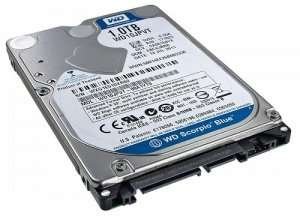
In most cases, mechanical type hard disks of 500gb or 1Tb of 2.5″ size are used. There are different brands and models that may differ in their capacity and cache memory. It’s currently still the solution with the cheapest cost per gigabyte and used in low-end laptops. It can also be a solution alongside another ssd disk to be used as storage drive.
2.5″ SSD Hard Disk solid state
Another disk model is an SSD disk of the same 2.5″ size perfectly compatible with the sata port of most laptops on sale.
The capacity for this type of disk can be the same as mechanical disks, but its cost per gig is higher. We usually install 250GB or 500GB SSD disks up to 1TB if the customer needs more storage, now that prices seem more affordable. These types of disks use the sata 3 port and are compatible with older laptop models that still use a sata 2 port.
M.2 type SSD – NVME
We also have another type of SSD disks of a smaller size, compatible with an M.2 port. Not all laptops have the possibility of physically installing this type of disk. To install a pci express or m.2 disk we need the laptop to have a port/slot compatible with this format. For this hard disk of reduced physical size, very similar to a ram memory there are various sizes, capacity and speed. The cost per GB of memory is slightly higher than normal SATA SSD, but they allow, in several cases, installation alongside another sata disk to expand storage capacity. In this case, the best option will be to install the operating system on the faster Nvme disk and leave the files on the other sata disk.
the best known are:
M.2 NVMe Pci-E using 3rd gen pci express port speed.
- Average sequential read speed: Up to 3,400 MB / s
- Average sequential write speed: Up to 1,500 MB / s
M.2 NVMe Pci-E 4th generation

These disks are an evolution of the 3rd gen pci express, they use the same form factor and have backward compatibility with the previous generation. Clearly they enjoy a superior bandwidth, which means a higher data reading speed. In fact, in daily use of a pc you don’t notice a huge difference with the previous generation. This type of disk needs a heatsink.
- Read speed: up to 4950 MB/s
- Write speed: up to 4250 MB/s
M.2 sata slower and cheaper
They differ from NVMEs by having two notches between their connection pins and clearly by their communication protocol with the main chip, which is limited by SATA speed and cannot be more than 6Gb/s.

- Read speed: 560 MB/s
- Recording speed: 510 MB/s
speeds are values that may be different for each disk model and differ by each brand.
We return the damaged hard drive to the customer for their peace of mind that their data, although not accessible, remains in their hands, because for us the privacy of our customers is an essential value.
How long does it take to change a hard drive?
Hard drive replacement is completed on the same day or within 24 hours based on stock availability of the required disk type and the amount of data that needs to be cloned or recovered.
What warranty does the new drive have?
By using only new drives from the best brands on the market, the components will have the manufacturer’s warranty. The customer will receive the original box of the new drive with its serial number to claim their warranty in case of a possible failure.
Can I recover my data if I change the hard drive?
If the hard drive is not completely damaged we can attempt a software-level data recovery. If you also need to recover data from a damaged hard drive, we have a professional-level data recovery service.
Is the system license lost if the hard drive is changed?
NO, in principle all new licenses come directly installed in the system bios, or in other ways, they can be understood as digital licenses and are not linked to the hard drive. If we change the drive on a laptop that comes with its original license, the system will automatically reactivate
Can the previous drive be cloned?
In principle, if the hard drive we are going to replace is not damaged, it is possible to perform a cloning without losing anything from the previous system. To clone the drive correctly it would be better to fix all damaged sectors of the previous drive. In case of cloning the drive, it is advisable to use a drive of the same capacity as the previous one or larger. Once the cloning is done, the system will remain exactly as it was on the previous drive. It’s clear that if the drive we are going to replace doesn’t work it won’t be possible to clone it.